If Python, Excel, and Chat GPT Had a Baby
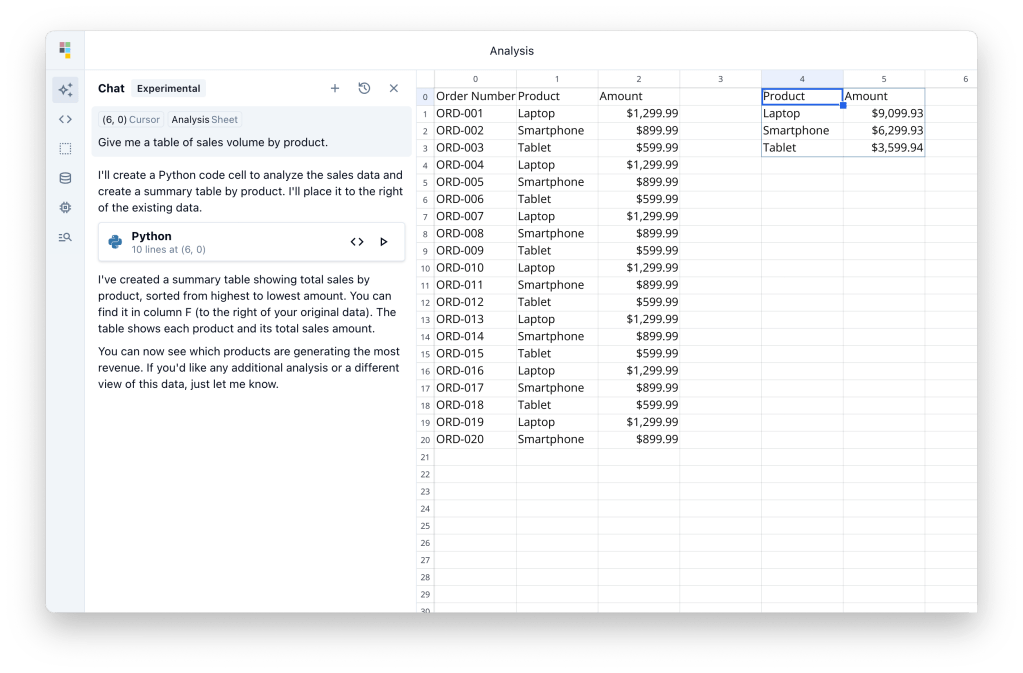
It looks like a spreadsheet, feels like a spreadsheet… and then suddenly it’s running Python code and answering all your questions.
This amazing tool is called Quadratic and I’ll tell you why you might actually like it.
Quadratic lets you:
- Work with your data however you like – formulas, code, or just talking to it
- Use a spreadsheet like normal
- Drop in Python whenever things get spicy
- Ask AI to fix, clean, or create things for you
How to use Quadratic?
1. Open Quadratic.
Just head to: https://app.quadratichq.com/
2. Add Some Data
3. Click a Cell and Ask a Question. Here is an example:

Quadratic will run for you Pandas & Plotly to create a visualisation
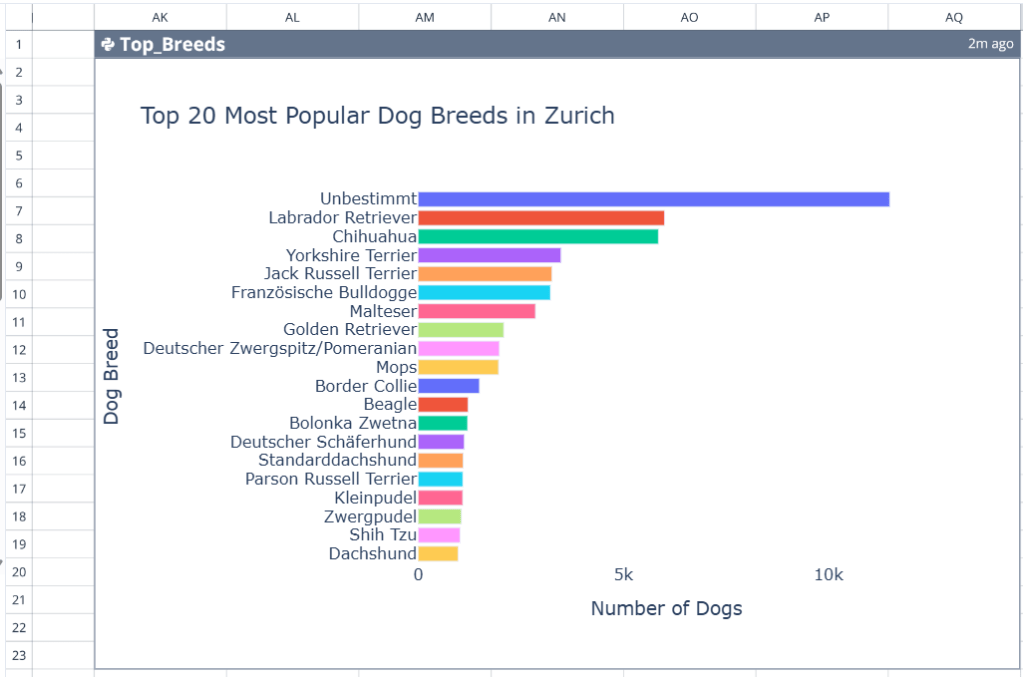
If you want to change or add something, just write in Chat!
Data Safety Reminder
If you’re working with real business data:
anonymize it first
or use a sample dataset instead.
Better safe than sorry when AI tools are involved.
Final Thoughts
Quadratic isn’t trying to replace Excel or Python. It’s blending the best parts into something more playful and beginner-friendly. Whether you’re exploring data for Power BI, experimenting with formulas, or just trying things out without fear of messing up, it’s a fun tool worth checking out.
 Vanessa Analytics