Power Query: Where Good Reports Are Born (or Broken)

Many report disasters don’t start in the visuals. They’re born quietly in Power Query. Tiny mistakes sneak in early, and before you know it, refresh times explode and visuals throw tantrums.
Here’s a quick, friendly rundown of the classic Power Query mistakes that love to make our lives harder.
🤓 Hoarding Too Much Data
Pulling “everything, just in case” is a common mistake.
Do you really need every table, every field, or ten years of history? Probably not…
Load only what you need and your model will thank you.
🚫 Loading Data Without Checking It
Bringing data into Power BI without reviewing it in Power Query is a classic trap.
Skipped data types, hidden errors, unnecessary columns and suddenly refreshes slow down or numbers don’t make sense.
Your first responsibility: inspect and define your data properly.
🤯 The “One Giant Table” Approach
Packing everything into a single wide table may seem convenient, but it hurts performance.
VertiPaq (Power BI’s Engine) performs far better with more rows and fewer columns.
Split your data into fact and dimension tables and let relationships do their job.
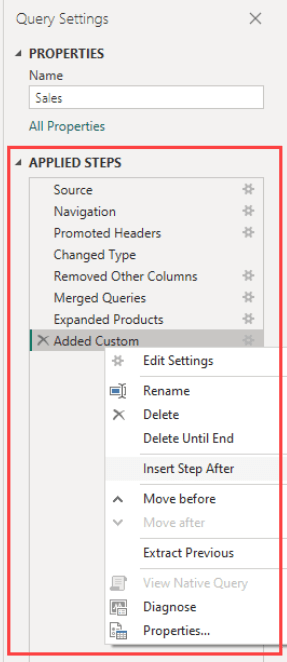
🗑️ Messy Transformation Steps
Power Query steps matter more than most people think.
Unorganized transformations make models slower and harder to troubleshoot.
Quick Wins:
- give steps clear, descriptive names.
- filter early,
- remove unused columns at the start,
- combine rename actions,
The Downward Spiral of Bad Prep
Even tiny mistakes in Power Query can cause big problems. Miss a step or leave a messy transformation, and your visuals might break, refreshes slow down, files get too big, and stakeholders get frustrated. If you don’t fix it early, these issues can pile up until you have to rebuild the whole report. You don’t want to end up like the sad cat from the photo…
 Vanessa Analytics